10 Best AI Tools for Web Developers & SEO (2026)
The best AI tools for web development and SEO in 2026 are those that move beyond simple chat interfaces into autonomous agents and repository-wide logic, such as Cursor AI, Perplexity, and Claude. In the current landscape, the most effective stack combines real-time research, AI-native coding, and automated SEO workflows to compress development and ranking timelines from months to days.
This guide identifies the 10 most powerful (and mostly free) AI tools defining the industry right now. Whether you are a business owner looking for ROI, a developer solving context fatigue, or an SEO pro scaling content, these are the tools you need to stay competitive.
- Business Owners: Stop waiting for slow turnarounds. Learn how AI tools provide faster ROI by automating the heavy lifting of operations and marketing.
- Developers: Solve "Context Fatigue." We're looking at tools that don't just write snippets but understand your entire repository and system architecture to help you code smarter.
- SEO Professionals: Move beyond keywords. Discover the tools helping pros scale content while transitioning from traditional SEO to Generative Engine Optimization (GEO).
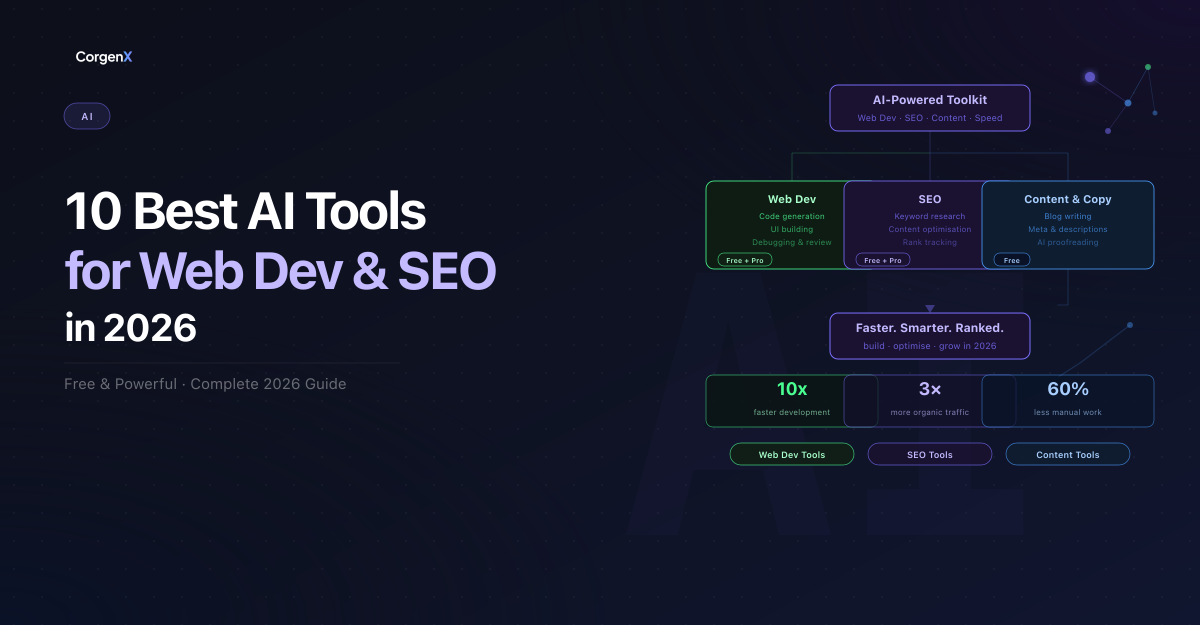 10 Best AI Tools for Web Developers and SEO in 2026
Top 10 AI Tools for Web Development and SEO in 2026
1. ChatGPT — SEO Content Production + Code Assistance
OpenAI's ChatGPT remains a cornerstone for digital workflows in 2026. While its broad capabilities are well-known, its power for specific SEO and development tasks is where it truly shines.
- Developers use it to generate boilerplate code, write regex, debug errors, and explain unfamiliar APIs
- SEO teams use it to write meta descriptions at scale, generate content briefs, create FAQ schema markup, and repurpose existing content
- Business owners use it to draft landing page copy and email sequences
Best for: Meta descriptions, content briefs, code debugging, schema markup generation
Pro tip: "Give it your target keyword, page goal, and word count — it will structure a full SEO content brief in seconds."
Free tier clarity: Free plan gives access to GPT-4o with daily limits. No credit card required to start.
2. Claude — Technical SEO Writing + Content Auditing
Claude by Anthropic has become the preferred choice for businesses that need nuanced, technical, and high-fidelity writing.
- Handles long documents better than most models — ideal for auditing existing page content against E-E-A-T guidelines
- Web developers use it to write technical documentation and API guides
- SEO professionals use it to rewrite thin content, analyze competitor page structure, and generate structured long-form blog posts
- Handles large context — you can paste an entire page and ask it to improve it
Best for: E-E-A-T content auditing, long-form SEO blogs, technical documentation, competitor content analysis
Pro tip: "Paste your existing page content and ask Claude to identify gaps against the top 3 ranking pages for your target keyword."
Free tier clarity: Free plan includes file uploads with limits. Paid plan unlocks higher usage and longer context.
3. Perplexity AI — Real-time SEO research with cited sources
Perplexity AI has redefined how we research. By combining search with generative AI, it provides real-time, citation-backed answers.
- Unlike ChatGPT, Perplexity pulls live data from the web and cites every source — making it far more reliable for research
- SEO teams use it to understand search intent behind keywords, find content gaps, and research what the top-ranking pages actually cover
- Developers use it to research new frameworks, libraries, and technical solutions with up-to-date answers
- Replaces hours of manual SERP analysis for content planning
Best for: Keyword intent research, content gap analysis, technical research, competitor strategy
Pro tip: "Ask Perplexity 'What questions do people ask about [your topic]?' to instantly find FAQ and People Also Ask content for your blog."
Free tier clarity: Fully free with unlimited searches. Pro plan unlocks access to premium AI models including Claude and advanced reasoning models.
4. Google Gemini — SEO analytics + web content inside Google Workspace
Google's Gemini is the secret weapon for anyone deeply integrated into the Google ecosystem, offering unparalleled integration with Search Console and Analytics data.
- Most powerful when used inside Google Sheets with Search Console data — ask it to identify which pages are declining and why
- In Google Docs, it can rewrite page content for better readability and SEO structure
- In Gmail, it drafts outreach emails for link building campaigns
- Developers use it via Google AI Studio for prototyping and API integrations
Best for: Search Console analysis, content rewriting, link building outreach, GA4 data interpretation
Pro tip: "Export your Search Console data to Sheets and ask Gemini to flag pages with high impressions but low CTR — these are your quickest SEO wins."
Free tier clarity: Basic Gemini is free. Advanced features in Docs/Gmail require Google Workspace Business plan.
5. Canva Magic Studio — UI design + web SEO visual assets
Canva has evolved into an AI-driven visual powerhouse, essential for improving the click-through rates (CTR) that search engines love.
- Web teams use it to create OG images and social preview cards that improve click-through rates from search and social
- Blog featured images, infographics for link building, and hero section visuals for landing pages
- UI designers use it to rapidly prototype page layouts and present concepts to clients without needing Figma expertise
- Magic Studio AI generates on-brand visuals from text prompts in seconds
Best for: OG images, blog featured images, landing page visuals, infographics, UI mockups
Pro tip: "Create a consistent OG image template for all your blog posts — consistent branding in search previews noticeably improves CTR over time."
Free tier clarity: Genuinely generous free plan. Brand Kit and premium AI features require paid plan.
6. Make — SEO and web development workflow automation
Make (formerly Integromat) is the glue that connects your entire digital stack, allowing for complex, multi-step automations without writing a single line of code.
- Connects your entire web and SEO stack without code — GA4, Search Console, Ahrefs, Slack, Notion, CRMs
- SEO teams use it to auto-generate weekly ranking reports and send to clients
- Web developers use it to automate lead capture from contact forms → CRM → email sequences
- Can trigger alerts when a page's ranking drops below a threshold — catching SEO issues before they compound
- Replaces hours of manual reporting every week
Best for: SEO reporting automation, lead management, rank drop alerts, client reporting workflows
Pro tip: "Build a scenario that pulls your top 10 keyword rankings weekly from Search Console and posts a summary directly to your team's Slack channel — zero manual work."
Free tier clarity: Free plan includes 1,000 operations/month — enough to test workflows before committing.
7. GitHub Copilot — AI pair programmer for web developers
GitHub Copilot has transformed from a simple autocomplete tool into a full-fledged pair programmer that understands the context of your entire project.
- Lives directly inside VS Code, JetBrains, and other editors — suggests code completions as you type
- Particularly strong for writing repetitive web code: API routes, form validation, component boilerplate
- Helps junior developers move at senior speed by suggesting best practices inline
- Also useful for writing technical comments and documentation automatically
- SEO angle: use it to generate structured data (JSON-LD schema) snippets for articles, products, FAQs
Best for: Component development, API routes, schema markup generation, code documentation
Pro tip: "Ask Copilot to generate FAQ schema JSON-LD directly in your codebase — it knows the correct format and saves you manually referencing Google's schema documentation every time."
Free tier clarity: Free plan available for individual developers with 2,000 completions/month. Paid plan from $10/month.
8. Cursor AI — AI-first code editor for full web project development
Cursor AI is what happens when you build a code editor with AI at its core, rather than just as a plugin.
- Unlike Copilot which works as a plugin, Cursor is a fully AI-native editor built for entire codebase conversations
- You can highlight an entire file and say "refactor this for performance" or "add SEO meta tags to every page component"
- Web developers use it to build and debug entire features — not just single lines
- Particularly powerful for Next.js projects — can refactor routing, add metadata, and optimize images across multiple files at once
- Understands your whole project context, not just the file you're editing
Best for: Full project refactoring, Next.js development, performance optimization, multi-file SEO implementation
Pro tip: "Use Cursor's codebase-wide search to find every page missing a meta description and fix them all in one session — takes minutes instead of hours."
Free tier clarity: Free plan includes 2 weeks of pro features, then limited free tier. Pro from $20/month.
9. Ahrefs Webmaster Tools — Free technical SEO auditing and backlink monitoring
Ahrefs Webmaster Tools (AWT) is one of the most powerful free resources available for monitoring your website's health and search performance.
- The free version of Ahrefs is one of the most underused tools in SEO — gives you a full site audit, backlink profile, and keyword data for your own domain at no cost
- Web developers use it to catch technical SEO issues after site launches — broken links, missing meta tags, slow pages, crawl errors
- SEO teams use it to monitor backlink growth, find lost links, and identify which pages earn the most authority
- Works alongside Google Search Console to give a more complete picture of your site's health
- Pairs naturally with the Broken Link Checker tool for a full link health workflow
Best for: Technical SEO audits, backlink monitoring, crawl error detection, post-launch site checks
Pro tip: "Run an Ahrefs site audit immediately after any website migration — it will surface broken links, redirect chains, and missing metadata before they impact your rankings."
Free tier clarity: Ahrefs Webmaster Tools is completely free for site owners. Paid plans unlock competitor research.
10. Google Antigravity — Agent-first AI IDE for autonomous web development
Google's newest AI development environment, Antigravity, represents the next leap in software engineering: the shift from AI-assisted to AI-autonomous coding.
- Announced alongside Gemini 3 in late 2025
- Built as a fork of VS Code — minimal learning curve for existing developers
- Lets you delegate entire development tasks to AI agents powered by Gemini 3.1 Pro
- Developers describe features in plain English and the agent writes, tests, and refines the code autonomously
- Represents the shift from AI-assisted to AI-autonomous coding
Best for: Autonomous feature development, complex refactoring, rapid prototyping, full-stack web projects
Pro tip: "During the free preview period, use Antigravity for your most complex development tasks — you get Gemini 3.1 Pro at no cost, which would otherwise require a paid API subscription."
Free tier clarity: 100% free during public preview with generous Gemini 3.1 Pro usage limits.
Which Tool for What?
To help you decide which tool to add to your stack first, use this quick-reference table based on your primary professional goal:
| Your Goal | Best Tool |
|---|---|
| Long-form Content & SEO Auditing | Claude |
| Real-time Research & Citations | Perplexity AI |
| Bulk Meta Descriptions & Regex | ChatGPT |
| Search Console & Analytics Data | Google Gemini |
| Social Images & Infographics | Canva Magic Studio |
| SEO & Dev Workflow Automation | Make |
| Schema & Fast Code Completion | GitHub Copilot |
| Project-wide Code Refactoring | Cursor AI |
| Technical Health & Backlinks | Ahrefs Webmaster Tools |
| Autonomous Feature Building | Google Antigravity |
How to Stack These AI Tools for Real Results
The real power of these tools isn't using them individually — it's combining them into workflows.
Workflow 1 — Publishing an SEO Blog Post (Content Team)
Scenario: You need to research, write, and publish a blog post that actually ranks.
- Perplexity AI — Research the topic. Find what the top pages cover, what questions people ask, and what content gaps exist.
- ChatGPT — Generate the content brief, outline, and FAQ schema markup.
- Claude — Write the full blog post, matching your brand tone and E-E-A-T structure.
- Canva Magic Studio — Create the featured image and OG image using your brand template.
- Make — Auto-publish to your CMS and notify your team in Slack when the post goes live.
Time saved: What used to take 2 days now takes 3–4 hours.
Workflow 2 — Launching a New Web Page (Dev + SEO Together)
Scenario: You're building and launching a new service or landing page.
- Cursor AI or Google Antigravity — Build the full page component in Next.js, including metadata, structured data, and performance-optimized images across multiple files in one session. (Note: Use either tool — Antigravity excels at autonomous agent tasks, while Cursor is specialized for manual, codebase-wide edits.)
- GitHub Copilot — Generate JSON-LD schema markup (FAQ, Service, BreadcrumbList) inline as you code.
- Ahrefs Webmaster Tools — Run a full site audit immediately after launch to catch broken links, missing meta tags, and crawl errors before they impact rankings.
- Google Gemini — Analyze early Search Console data in Sheets to identify which keywords the new page is already ranking for and where to double down.
Time saved: A page that took a week to build and audit now ships in 2 days, fully SEO-ready.
Workflow 3 — Weekly SEO Reporting (Agency Workflow)
Scenario: You need to deliver client SEO reports every week without spending hours on manual work.
- Google Gemini — Pull Search Console and GA4 data into Google Sheets. Ask Gemini to flag pages with high impressions but low CTR, pages losing rankings, and top performers.
- Make — Automate the entire report generation — pull the Sheets data, format it, and send it to clients via email every Monday morning automatically.
- ChatGPT — Draft the written summary and recommendations section of the report based on the data — personalized per client in minutes.
Time saved: 3–4 hours of manual reporting per client reduced to a 20-minute review.
Workflow 4 — Technical SEO Audit After Site Migration
Scenario: You've just migrated a client's website and need to verify nothing broke.
- Ahrefs Webmaster Tools — Run a full crawl immediately after migration. Identify broken links, redirect chains, missing meta descriptions, and lost backlinks.
- Cursor AI — Fix all flagged issues across the codebase in bulk — update redirect rules, add missing metadata, and fix broken internal links across multiple files at once.
- Make — Set up an automated weekly crawl alert that notifies your team in Slack if any new broken links or ranking drops are detected post-migration.
Time saved: Post-migration audit that took days now completes in hours with automated ongoing monitoring.
💡 Pro Tip: You don't need all 10 tools at once. Pick the workflow that matches your biggest current challenge and start there.
Build Your AI Stack for Web Development & SEO in 2026
In 2026, the distinction between "web development" and "SEO" is blurring. The most successful teams are those that use AI not just to work faster, but to build more cohesive, high-performance digital experiences.
The tools listed above are no longer optional "extras" — they are the engine of modern digital growth. Whether you're a solo developer or managing a global SEO team, your competitive advantage lies in how effectively you can orchestrate these AI agents to handle the technical heavy lifting, leaving you free to focus on strategy and creativity.
At CorgenX, we use a combination of these tools as part of our web development and SEO workflow to deliver faster results for our clients. If you want to implement these tools as part of a broader growth strategy, get in touch.
For a broader look at how AI is reshaping the development process end-to-end, see our deep-dive into how AI changed web development before vs after 2026. And if you're using any of these tools to improve your site's SEO health, start with the fundamentals: our guide to on-page and off-page SEO covers the foundation that makes every AI-assisted tactic actually stick.
FAQs
Which AI tool is best for SEO in 2026?
Perplexity AI is currently the leader for real-time SEO research and intent analysis, while Claude remains the top choice for drafting high-quality, long-form content that meets Google's E-E-A-T standards.
Can AI tools replace an SEO professional?
No. In 2026, AI tools act as "force multipliers." While they can handle data collection, brief generation, and technical audits, an SEO professional is still required for high-level strategy, brand voice consistency, and human empathy in content.
What AI tools do web developers use daily?
Modern developers primarily use Cursor AI or Google Antigravity for repository-wide coding, GitHub Copilot for inline completions, and Perplexity for technical research on libraries and frameworks.
Is ChatGPT good for writing SEO content?
ChatGPT is excellent for structured tasks like writing meta descriptions at scale, generating FAQ schema markup, and creating content outlines. However, for full-length articles, it is best used as a drafting partner rather than a "set-and-forget" writer.
How do I use AI tools without hurting my Google rankings?
Focus on "Experience, Expertise, Authoritativeness, and Trustworthiness" (E-E-A-T). Use AI to help structure your data and research, but always add original insights, case studies, and a human point of view before publishing.
Are these AI tools safe for client data?
Most major tools (Claude, ChatGPT, Gemini) offer "Enterprise" or "Business" tiers that ensure data is not used for training their public models. Always check the privacy settings of any tool before uploading sensitive client information.
Can I use multiple AI tools together in one workflow?
Absolutely. The most successful teams use "stacking workflows" — for example, using Perplexity for research, Claude for writing, and Make to automate the publishing and reporting process.
What is the biggest mistake when using AI for SEO and development?
The biggest mistake is blind trust. AI can hallucinate facts or suggest outdated libraries. Always treat AI output as a "highly intelligent draft" that requires a human professional to verify, test, and refine.
Related Articles
Ready to Scale?
Our high-performance web solutions and SEO strategies are designed to deliver results.
Check out our services